

Check out frequently asked questions:
252. How must goods be entered — is there a required format?


Yes. Goods must be separated by semicolons (;). Each item is processed independently. There is currently no support for comma-separated or NLP-parsed input — those are planned future enhancements.
Read More253. What result types can a goods item receive?
- Exact match available — accepted wording exists in the local jurisdiction database
- Similar match available — alternative accepted wording exists
- Not available locally — no accepted wording found for this jurisdiction
254. Can users accept, reject, or annotate individual goods items?
Yes. For each item the user can accept the suggested wording, reject it, or add reasoning or a comment. This is a core feature included in the base subscription.
Read More255. How does saving and versioning work?
Manual save is available at any time. The tool also auto-saves on share. Every change creates an immutable version snapshot; the latest version is the active one. Finalized records cannot be edited — they must be duplicated to make further changes.
Read More256. Is there a dashboard for managing classification records?
Yes. Subscribed users have access to a dashboard showing all records with status (Draft, In Review, Finalized), metadata, version history, and actions: edit, share, view, duplicate, download. This is included in the base subscription.
Read More257. What export formats are available?
PDF and Excel. Export includes the structured goods list with class mapping. This is a core feature included in the base subscription at no additional cost.
Read More258. Can a classification be shared with someone who does not have a platform login?
Yes. A secure share link can be generated. External recipients can view the classification without logging in — read-only, no editing permitted. Share link is a core base-subscription feature designed to support client transparency and review workflows.
Read More259. Is translation included in the base subscription or is it an add-on?
Translation is an add-on. It retrieves the official translation from the TMCA database. Manual override is allowed, with the original preserved and a flag applied.
Translation usage is prorated against the base harmonization cap — both harmonization and translation deplete the same shared monthly goods-item limit.
260. What does the Collaboration add-on include?
- A reviewer workflow allowing external reviewers to confirm or decline individual goods items
- Goods-level comments and multi-round review
- A finalization lock — once agreed, the record is locked and cannot be edited (duplicate only)
The reviewer workflow and finalization are bundled and cannot be purchased separately. The read-only share link (viewing only) is part of the base tool and is NOT part of this add-on.
261. How is usage measured and capped?
Usage is measured per goods item processed. Each organisation has a shared monthly cap (reset at calendar month end) across Harmonization, Nice Mapping, and Similarity Assessment. Translation usage depletes the same cap on a prorated basis. When the limit is reached, new processing is blocked and an upgrade message is shown.
Read More262. Can a classification record be linked to a client or matter?
Yes. Client/lead linking is available. A classification can optionally be linked to a client or lead record stored in the organisation profile. This is included in the subscription — no separate add-on is required.
Read More263. What are the current known limitations of this tool?
- No AI-assisted translation when an official translation is unavailable (future)
- No wording risk or acceptability scoring (future)
- No citation intelligence (future)
- Finalised records cannot be edited — duplicate only
- Translation and Collaboration each require a separate add-on
- Capped at the organisation's monthly goods-item run limit
264. What does the Nice Version Mapping tool do?
It compares a goods list across Nice Classification editions to detect term changes, deletions, and reclassifications. It is designed for organisations preparing for Nice edition updates — particularly at renewal or reclassification time.
Read More265. What result types does the tool return per goods item?
266. What happens after a Nice version comparison is run?
The tool generates a structured change report. For flagged items, it can trigger the Harmonization Tool with the full goods list loaded — flagged items are highlighted for priority review. Note: all goods are carried across, not only the flagged items.
Read More267. Does the tool automatically reclassify goods?
No. It is a reporting tool only. It identifies what needs attention and can open the Harmonization Tool for the user to act on, but it does not execute reclassification automatically. Automated reclassification execution is a planned future enhancement.
Read More268. What is Linked Mode and when is it needed?
Linked Mode is an add-on that allows the user to pull goods directly from a saved classification record in the platform, instead of entering goods manually. It requires the Docketing module to be active.
Read More269. How is usage priced?
Nice Version Mapping is charged per goods item processed and depletes the same shared monthly organisational cap used by Harmonization and Similarity Assessment.
Read More270. What are the current known limitations?
- Linked Mode requires the Docketing module
- Report only — no automated reclassification execution
- No service process integration
- No Watch module trigger (module not yet in scope)
- No batch portfolio upload — single query only
- No historical edition comparison
- No automated renewal alerts
- Capped at the monthly org run limit
271. What does the Similarity Assessment Tool do?
It evaluates the similarity between two goods or services descriptions using TMCA models and returns:
- A quantified similarity score
- Classification overlap (shared or adjacent Nice classes)
- Related goods references from the TMCA database
Typical use cases: likelihood-of-confusion analysis, office action review, and goods overlap analysis.
272. Can more than two goods descriptions be compared at once?
Not currently. The tool supports two-item comparison only. Multi-item and batch comparison are planned future enhancements.
Read More273. Can users save, export, or share similarity results?
No. This is a lightweight standalone query tool. Results are not persisted — there is no dashboard, no export, and no collaboration or sharing. Matter integration is planned for a future release.
Read More274. How is usage priced in similarity tool?
Similarity Assessment is charged per goods item processed and depletes the same shared monthly organisational cap used by Harmonization and Nice Mapping.
Read More275. What are the current known limitations in similarity tool?
- Two items only — no multi-item or batch comparison (future)
- No visual similarity scoring (future)
- No save, dashboard, or export
- No collaboration or sharing
- Capped at the monthly org run limit
276. Who is the Government Review Tool designed for?
It is designed exclusively for trademark office examiners and government authorities. It is NOT available on B2B subscription plans. Procurement is through a separate B2G contract with a dedicated account manager and SLA-based terms.
Read More277. What can examiners do with this tool?
- Validate submitted goods against the jurisdiction-specific accepted wording database
- Verify correct class assignment
- Identify wording that does not meet local trademark office practice standards
- View suggested accepted alternatives for flagged or rejected goods items
278. Is there a dedicated examiner interface?
Yes. The Government Review Tool has a dedicated examiner dashboard that is fully separate from the B2B user interface. Examiner access does not overlap with or appear in client-facing platform surfaces.
Read More279. How is this tool purchased?
It is not self-serve. It requires a separate B2G contract, a dedicated account manager, and SLA-based procurement. It cannot be activated through the standard subscription management interface.
Read More280. What improvements are on the roadmap?
281. What plans does IP Autopilot offer?
IP Autopilot offers three plans, each building on the one before it:
- IP Management Platform (Base) — $38,500/year. The full IP management foundation: docketing, portfolio dashboards, workflow and task management, document management, reporting, and multi-client structure with role-based access.
- IP Management Platform (White-Label Edition) — $44,000/year. Everything in Base, plus the ability to run IP Autopilot entirely under your own brand — your logo, your colors, your domain, and a branded client portal your clients log into.
- IP Management Platform (Finance Edition) — $82,500/year. Everything in White-Label, plus end-to-end financial management: invoicing, billing, VAT handling, proposal-to-billing automation, and recurring billing support.
All plans are billed annually. A 30-day free trial is available on all plans.
282. Which plan is right for me?
It depends on what you need to manage and who you serve:
- If you manage trademark portfolios internally or for clients and need a structured platform to run docketing, deadlines, and reporting — start with Base.
- If you work with clients who need visibility into their own portfolio — filings, status updates, documents — and you want that experience to feel like your own platform rather than a third-party tool, you need White-Label Edition.
- If you also issue invoices, manage billing, run proposals, or need a full revenue and cost view across your practice or portfolio — Finance Edition brings all of that into one place.
Not sure? Book a demo and we will walk through your specific setup and recommend the right starting point.
283. Can I see all three plans side by side?
|
|
IP Management Base |
IP Management White-Label |
IP Management Finance |
|
Annual price |
$38,500 |
$44,000 |
$82,500 |
|
Docketing
across all jurisdictions |
✓ |
✓ |
✓ |
|
Real-time
portfolio dashboards |
✓ |
✓ |
✓ |
|
Workflow
& task management |
✓ |
✓ |
✓ |
|
Multi-entity
& multi-client structure |
✓ |
✓ |
✓ |
|
Role-based
access control |
✓ |
✓ |
✓ |
|
Secure
document management |
✓ |
✓ |
✓ |
|
Advanced
reporting & deadline tracking |
✓ |
✓ |
✓ |
|
Fully
white-labeled platform |
— |
✓ |
✓ |
|
Branded
client portal & shared links |
— |
✓ |
✓ |
|
Custom domain
setup |
— |
✓ |
✓ |
|
End-to-end
finance management |
— |
— |
✓ |
|
Proposal-to-billing
automation |
— |
— |
✓ |
|
Recurring
& subscription billing |
— |
— |
✓ |
|
VAT handling |
— |
— |
✓ |
284. Do you offer monthly billing?
All plans are priced on an annual basis. Annual billing gives you the best rate and keeps your team's access uninterrupted throughout the year. If you have specific billing requirements, contact us to discuss what works for your organization.
Read More285. Is there a free trial?
Yes — all plans include a 30-day free trial. You get full access to the plan you select during the trial period. No credit card is required to start.
If you decide to subscribe at the end of the trial, you commit to a 1-year plan. Onboarding begins immediately after you subscribe and is managed by the IP Autopilot team — we handle the full setup so your team can focus on your work, not the configuration.
If you decide not to continue after the trial, your data is retained for a defined period so you can return or export what you need.
286. What does 'docketing across all jurisdictions' mean?
Docketing is the process of tracking and managing critical IP deadlines — filings, renewals, responses, and opposition windows — across every country where you have trademark activity.
IP Autopilot's docketing engine is rules-based and global: it applies the correct statutory deadlines for each jurisdiction automatically, flags upcoming actions, and integrates those deadlines into your workflow and reporting. You are not manually maintaining country-specific deadline rules — the platform handles that.
287. What does 'multi-entity and multi-client structure' mean?
IP Autopilot is built for organizations that manage IP on behalf of multiple parties — whether those are external clients (if you are an agency or law firm) or internal business units and subsidiaries (if you are a corporate IP team).
The platform lets you structure your account to reflect how your organization actually works: separate portfolios, separate reporting, separate access levels per entity — all managed from a single workspace.
288. What is role-based access control and why does it matter?
Role-based access control means that each person on your team — and each client or agent you give access to — sees and can do only what their role permits. An IP manager can submit filings. A finance user sees billing. A client sees their own portfolio status. A local agent in one country does not see work in another.
For IP practices and corporate IP teams, this matters because you are often handling sensitive, commercially valuable information across multiple clients and jurisdictions. Access control keeps that information structured and secure without having to manage it manually.
289. What does the White-Label Edition give me that Base does not?
White-Label Edition lets you present IP Autopilot entirely as your own platform to your clients. Instead of your clients seeing the IP Autopilot brand, they see yours — your logo, your colors, your organization name, and optionally your own domain.
This includes:
- A branded client portal your clients log into to view their portfolio, documents, and status updates
- Branded proposal documents and shared links you send to clients
- Custom domain setup so the platform runs under your web address
If client experience and your firm's brand identity matter to how you present your service, White-Label Edition is the right choice.
290. What does 'proposal-to-billing automation' mean in the Finance Edition?
In the Finance Edition, the full commercial flow — from quoting a client to getting paid — runs inside IP Autopilot without manual handoffs between systems.
You build a proposal using your configured fee structure (official fees plus your professional fees). The client approves it. That approval converts automatically into an order. The order completion triggers an invoice. The invoice is tracked through to payment. Your cost of goods (supplier and agent fees) are recorded against the same order, giving you a real gross margin view per job.
The result: you stop re-entering the same numbers across a quoting tool, an accounting system, and a spreadsheet. Everything is in one place, one input, one audit trail.
291. Does IP Autopilot handle VAT?
Yes — the Finance Edition includes VAT handling as part of its billing and invoicing layer. This covers applying the correct VAT treatment to invoices based on the client's jurisdiction and the nature of the service.
If you have specific VAT or tax compliance requirements for your jurisdiction, contact us to confirm how they are handled before subscribing.
292. How long does it take to get set up?
Full onboarding typically takes around 30 days. This is a structured process managed by the IP Autopilot team — not a self-serve setup. When you commit to a plan after your trial, your dedicated onboarding begins immediately.
During onboarding, we work with you to:
- Configure your workspace: team structure, roles, and client or entity setup
- Import and validate your existing trademark portfolio
- Set up your service workflows, pricing structure, and financial configuration (Finance Edition)
- Configure and test your branded portal and custom domain (White-Label Edition)
The 30-day trial is your opportunity to evaluate the platform. Once you subscribe, we handle the onboarding end to end.
293. Can I import my existing trademark portfolio?
Yes. Portfolio import is part of the onboarding process. The platform connects to official trademark registers and WIPO data, so a significant portion of your portfolio can be pulled directly from official sources.
For the remainder — internal notes, custom classifications, document archives, and data not available in public registers — we support structured import. To do this, you will need to provide your existing portfolio data in a structured format (we will share the template and requirements at the start of onboarding). Our team will work with you through the import and validation process.
The cleaner and more structured your existing data, the faster the import. We recommend beginning to organize your portfolio data during the trial period so onboarding can move quickly once you subscribe.
294. How many users can I add?
IP Autopilot is structured around your organization, not individual user seats in the traditional sense. You can add your internal team, invite clients to their branded portal, and give local agents or representatives scoped access — all under your workspace.
User access is governed by role and scope rather than a fixed headcount cap. If you have a particularly large team or network of agents, contact us to discuss your setup before starting your trial.
295. Can I give my clients access to their own portfolio without them seeing other clients' data?
Yes — this is a core design principle of the platform. Each client sees only their own portfolio, documents, and status updates through the branded client portal. The multi-client structure and role-based access control ensure complete data separation between clients, regardless of how many you manage on the platform.
Read More296. Can local agents in different countries access the platform?
Yes. IP Autopilot supports multi-agent access structures: you can have multiple agents operating in the same country or across multiple countries with defined, scoped access — without requiring separate logins or separate account setups for each agent.
Each agent's actions are individually logged and attributable. You control what each agent can see and do within your workspace.
297. What happens when my trial ends?
At the end of your 30-day trial, you will be prompted to subscribe to continue with full access. If you subscribe, everything you have set up during the trial carries over — no data is lost and no reconfiguration is needed.
If you do not subscribe at the end of the trial, your account moves to an expired state. Your data is retained for a defined period so you can return or export. Access to the platform is blocked until a subscription is activated.
298. What happens if a payment fails?
If a payment fails, your account does not immediately lose access. Here is how it works:
- Past Due — payment has failed but retries are in progress. Full access continues while retries are ongoing.
- Grace Period — retries have been exhausted. You retain access for a defined grace window to resolve the payment issue.
- Suspended — grace period has ended without resolution. Access is blocked. All your data is retained — nothing is deleted.
Resolving the payment at any of these stages immediately restores full access. If you are expecting a payment issue, contact us before it occurs — we can work with you to avoid a suspension.
299. What happens to my data if I cancel?
If you cancel your subscription, access to the platform is immediately revoked. Your data is retained for a defined period after cancellation, during which you can contact us to arrange an export.
Cancellation does not immediately delete your data. However, it is terminal — reactivation after cancellation requires starting a new subscription. If you are considering cancellation because of a specific issue, contact us first — there may be a better solution.
300. Can I upgrade my plan?
Yes. You can upgrade from Base to White-Label Edition, or from White-Label Edition to Finance Edition, at any point during your subscription. The upgrade takes effect immediately. Pricing is adjusted on a pro-rata basis for the remainder of your billing period.
Upgrading does not require any reconfiguration — all your existing data, settings, and team structure carry over.
301. Can I downgrade my plan?
Downgrading is possible at the next renewal date. If you are on Finance Edition and downgrade to White-Label Edition, finance-specific features and data (invoices, billing records, supplier statements) become inaccessible but are not deleted. They become accessible again if you return to Finance Edition.
If you are considering a downgrade, contact us first — we can help you understand exactly what changes and ensure nothing important is lost.

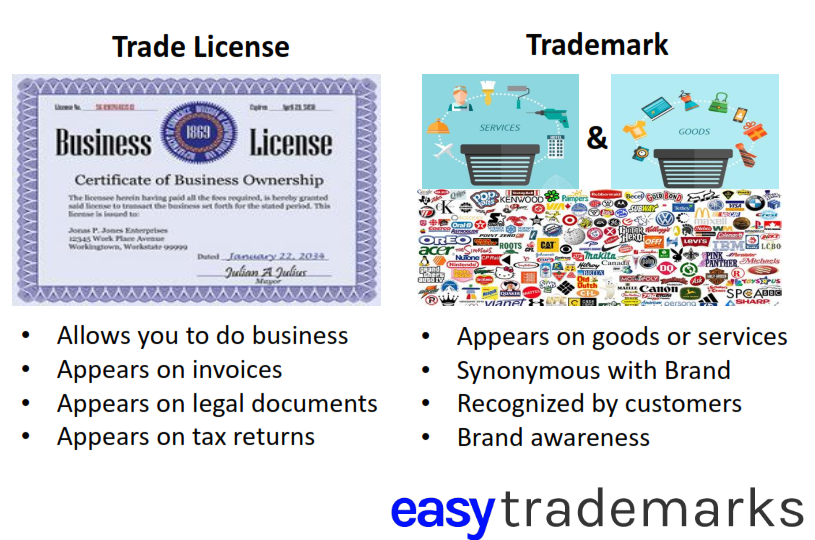









Step 1: The Art of Understanding Your Audience, Value Proposition, and Competition
Read More


















Securing Your Trademark in the Metaverse: Essential Goods and Services to Register
Read More
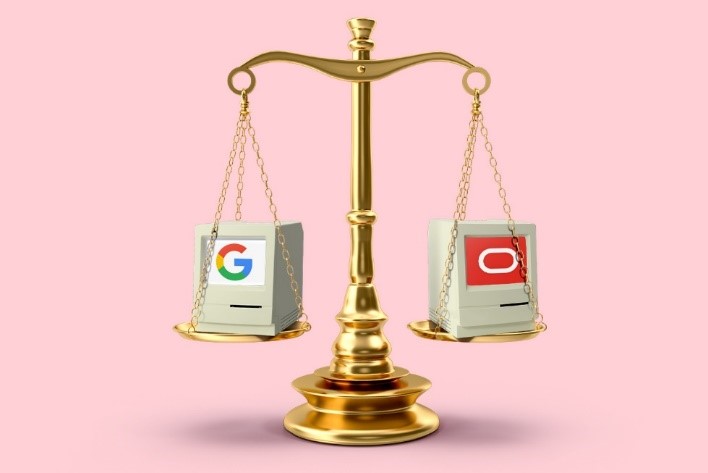
Oracle v. Google: The Landmark Case Shaping Intellectual Property in the Tech Industry
Read More










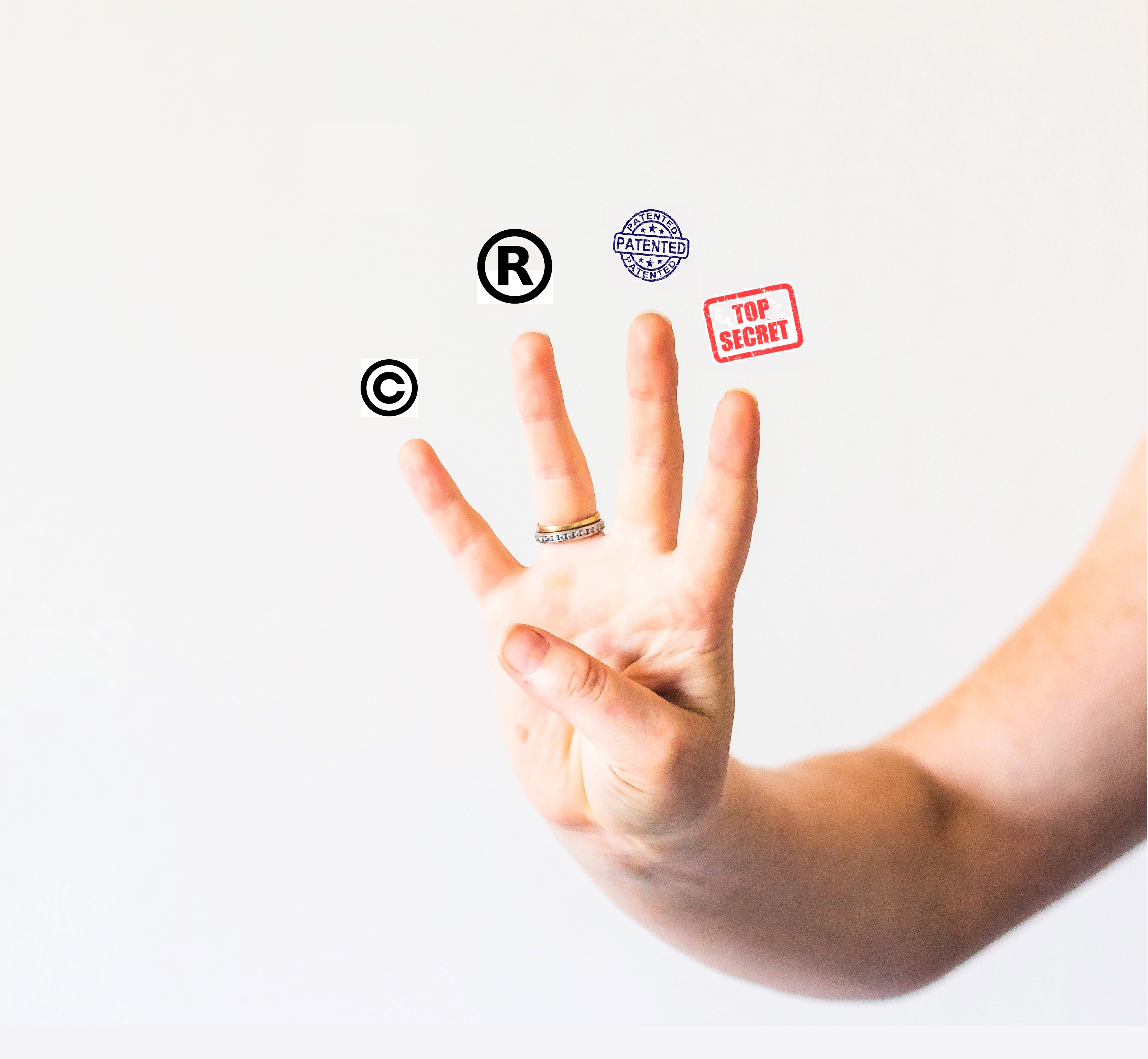
The Essential Guide to Intellectual Property: Patents, Trademarks, Copyrights, and Trade Secrets
Read More



Shielding Your Brand: The Definitive Handbook on Trademark Protection and Intellectual Property Safeguarding
Read More




How Did Juhayna Successfully Build Brand Awareness Among Restaurant Owners in Egypt?
Read More

Integreight’s Intellectual Property Strategy: Securing Market Dominance in Egypt's Tech Industry
Read More

How 'Monopoly: Lifesized' Shows Trademark Licensing Success for Legacy Brands at BLE
Read More

Etisalat: How Intellectual Property Drives Innovation and Leadership in UAE Telecommunications
Read More
How Dunkin' Leveraged Intellectual Property to Strengthen Its Franchise Strategy in the USA
Read More
How Casper's Trademark Registration Fueled Its Rise in the Competitive Mattress Market
Read More



Curious to learn more?
Let's chat! Our team of experts are here to answer any questions you have
Email us License our tech Set up a meeting